Let customers design the sign. You build it.
Put a 3D sign designer on your own website. Customers build their sign, see an estimate from your prices, and send it to you as a ready order.
Schedule a meeting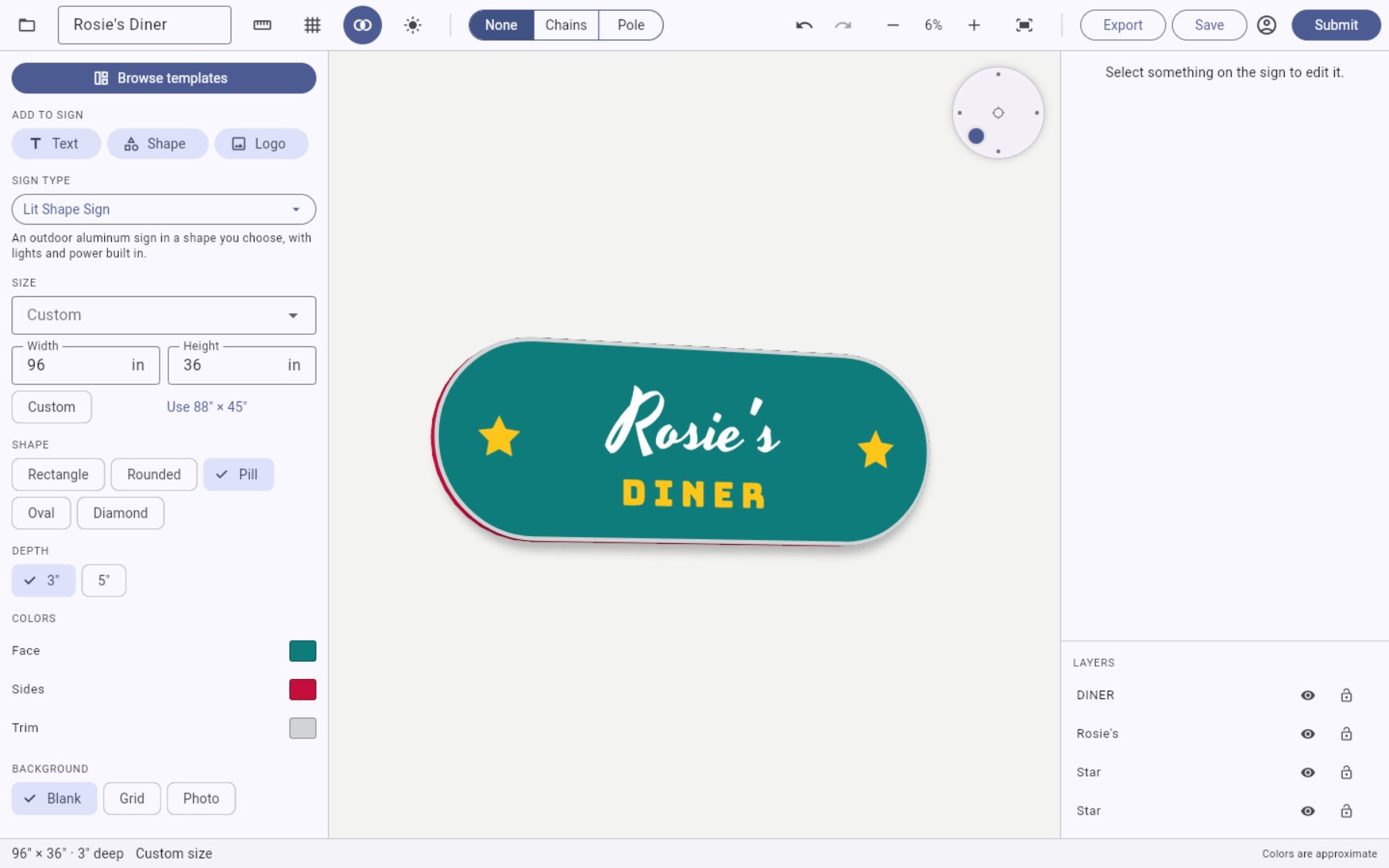
How an order moves
Every job follows the same five steps. Here is what your customer does and what you do at each one.
-
The customer designs the sign
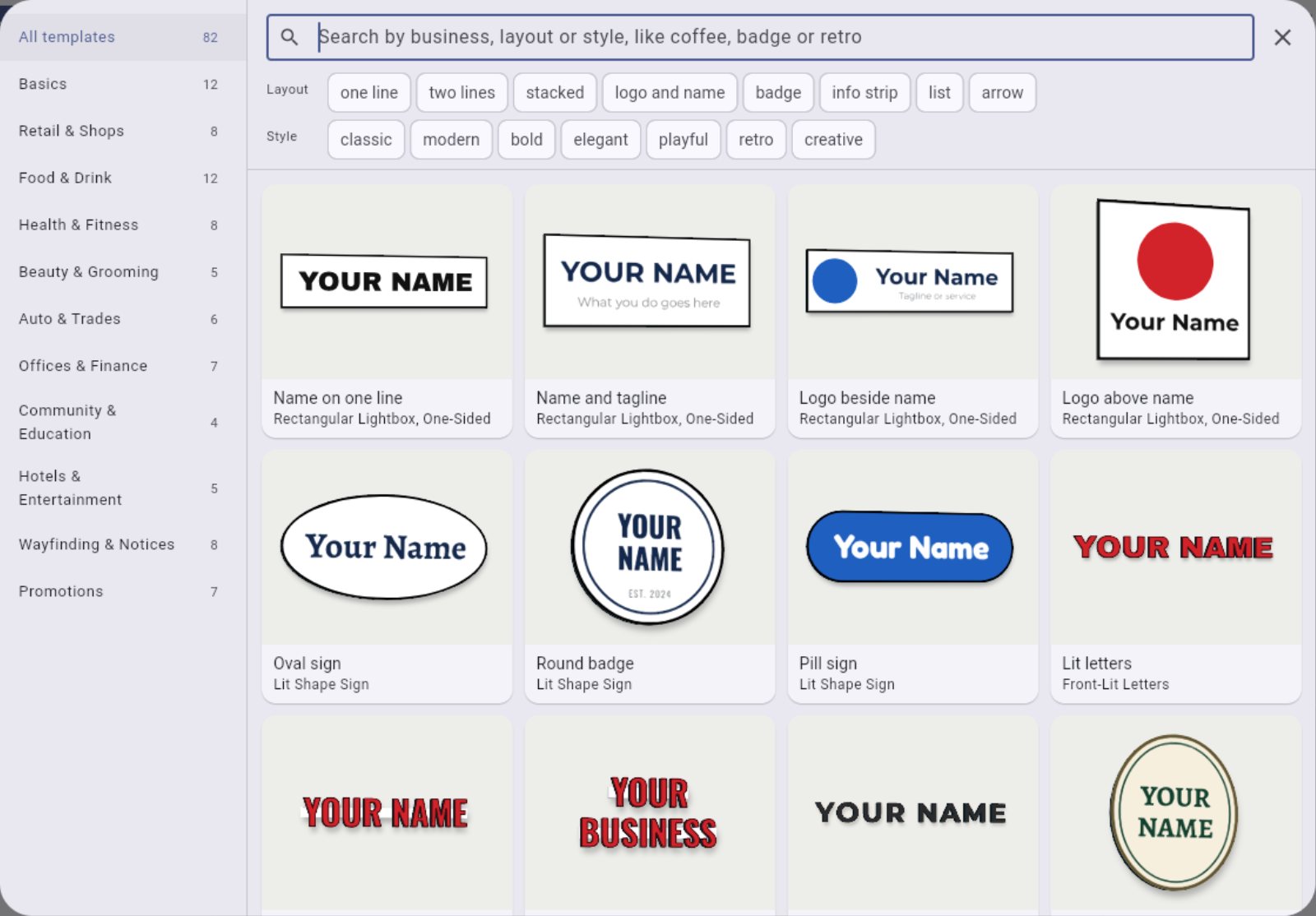
- CustomerStarts from a template or a blank sign, then adds their name, logo, colors and size in real inches. They can also place it on a photo of their storefront.
- YouNothing yet. They only see the sign types, fonts and colors you offer.
-
They see a price and submit
- CustomerGets an instant estimate, picks add-ons, and submits. They can also save the design to their account and order later.
- YouSet your prices once: a rate per square foot for each material, an LED rate, and your add-ons, with the quantities you want filled in. You confirm the final price later.
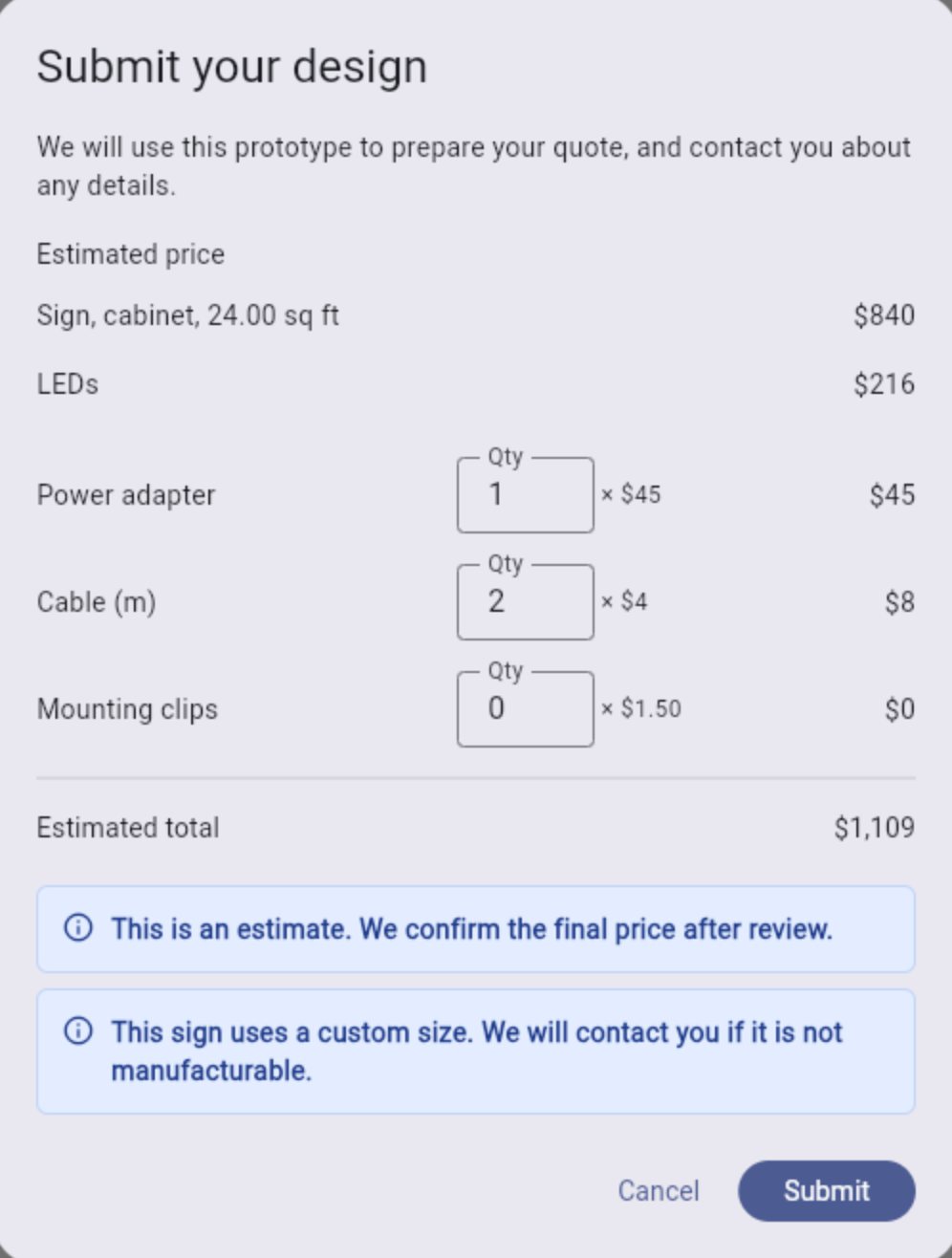
Example prices -
You agree the design in one thread
- YouGet the submission with the design file. Reply in the order's chat, attach images or PDFs, and ask for approval when it is right.
- CustomerGets an email and a dashboard notification, then confirms in the chat or from a link in the email. If they reply by email instead, you mark it approved.
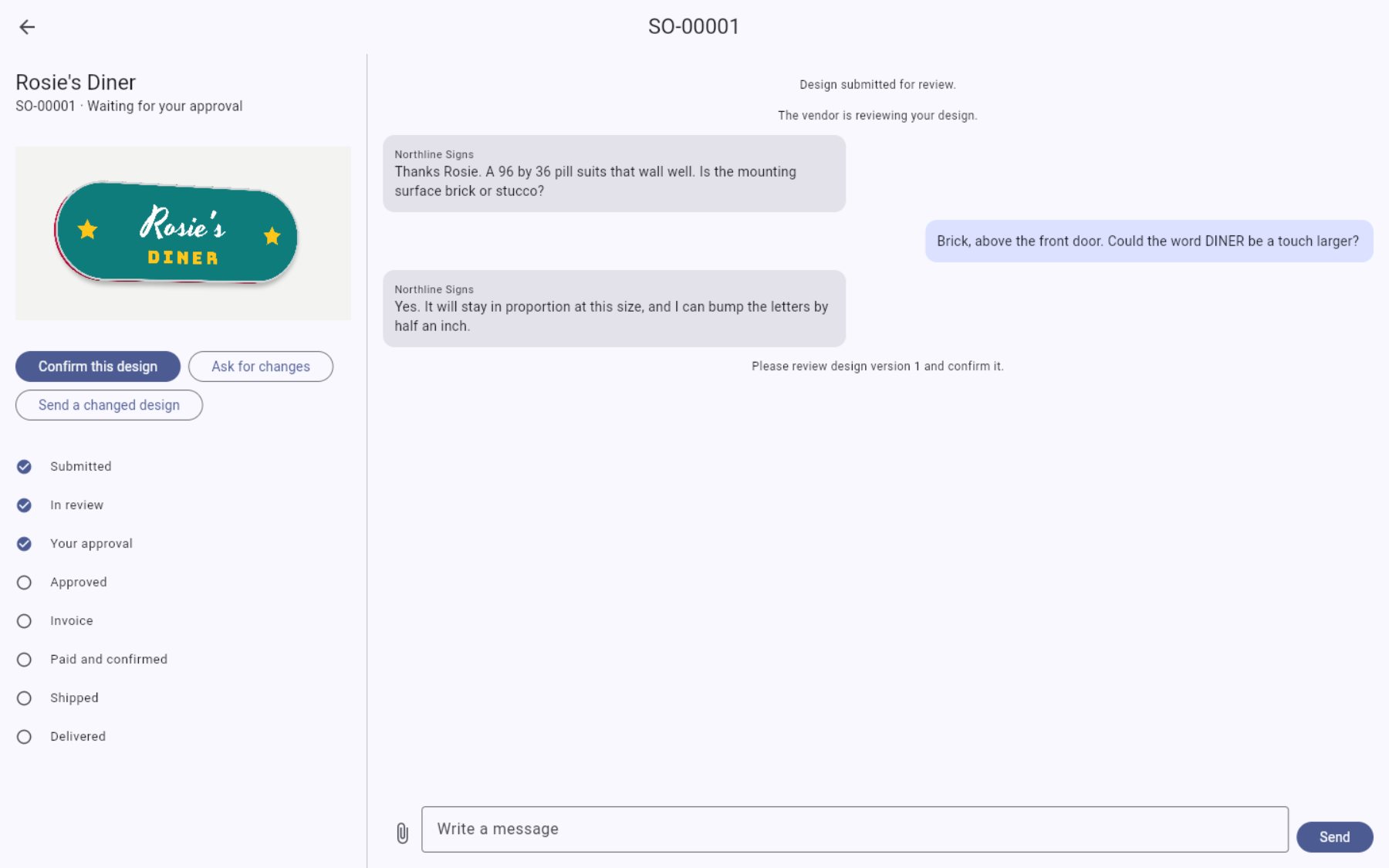
What your customer sees -
You invoice, they pay
- YouSet the final price and the estimated delivery date, and choose full payment or a deposit. Pull delivery rates from UPS, FedEx or USPS, adjust them, or type your own.
- CustomerPays by card or PayPal. Once the payment is in, the order marks itself as paid and confirmed.
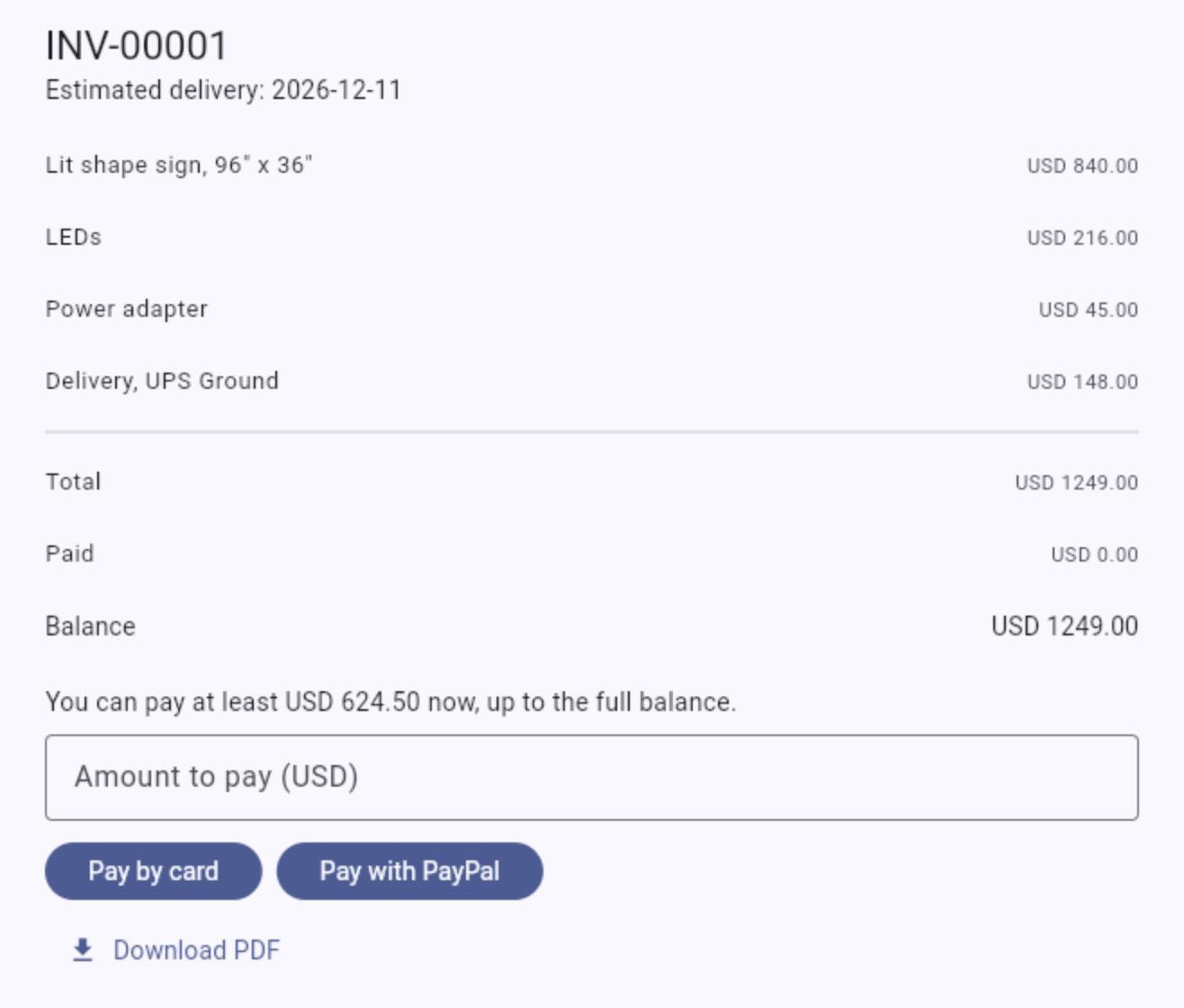
Example invoice with a 50% deposit -
You ship, and the record stays
- YouMark the order shipped and delivered. Delivery closes the thread.
- CustomerLeaves a review. If something goes wrong later, they reopen the same thread with a warranty claim or a complaint, so the whole history is already there.
Set up the way your shop works
You get your own admin area, and the rules are yours.
Your range
Offer only the sign types, fonts, colors and templates you actually make.
Your prices
Use your own rates and add-ons. Change them and customers see the new prices on their next visit.
Your payment terms
Ask for full payment or a deposit, order by order.
Your warranty
Choose whether you offer one and how long it lasts. Claims stop when it ends.
Your accounts
Payments go to your own Stripe or PayPal account. Rates come from your own carrier accounts.
All orders in one place
See every order by stage, open its chat, and view the customer's design exactly as they made it.
Need something specific to your shop?
We can add specialized features on request, whenever your shop needs them. Tell us what would make your work easier and we will talk it through.
Easy to install, and we do it for you
Sign Designer runs on the basic shared hosting plan you probably already have. Installing it is quick and simple, and we do it on your behalf, so there is nothing technical for you to take on. Each shop gets its own copy, so your customers and orders stay yours.
We install it, then support you for a year
We handle the installation for you and provide technical support for up to a year after launch, at no additional cost.
- You tell us which hosting you use.
- We install Sign Designer on it and set up your admin area.
- We connect your email, payments and carrier accounts with the details you give us.
- You sign in and start taking orders.
Questions shop owners ask
Does it replace my production files?
No. The customer's design is a prototype for quoting. You review it and prepare the real production files, the same as you do today.
Will customers design things I cannot build?
They can only pick from what you offer. Nothing is sent to production on its own: you review every design and agree it in the thread before invoicing.
Do customers need to install anything?
No, it runs in a web browser. It works best on a desktop or laptop, which is where most people will have their logo files.
What about very large signs?
Customers can still design them. You arrange delivery directly with the customer and type the charge into the invoice.
What does it cost?
We will go through pricing in the meeting, once we know how your shop works.
See it with your own sign types
Tell us when suits you. We will show you the designer, walk through an order from start to finish, and answer your questions.
- A short call, with no preparation needed
- We will email you to confirm the time