Approving Sign Proofs Without Endless Email Chains
· 2 min read
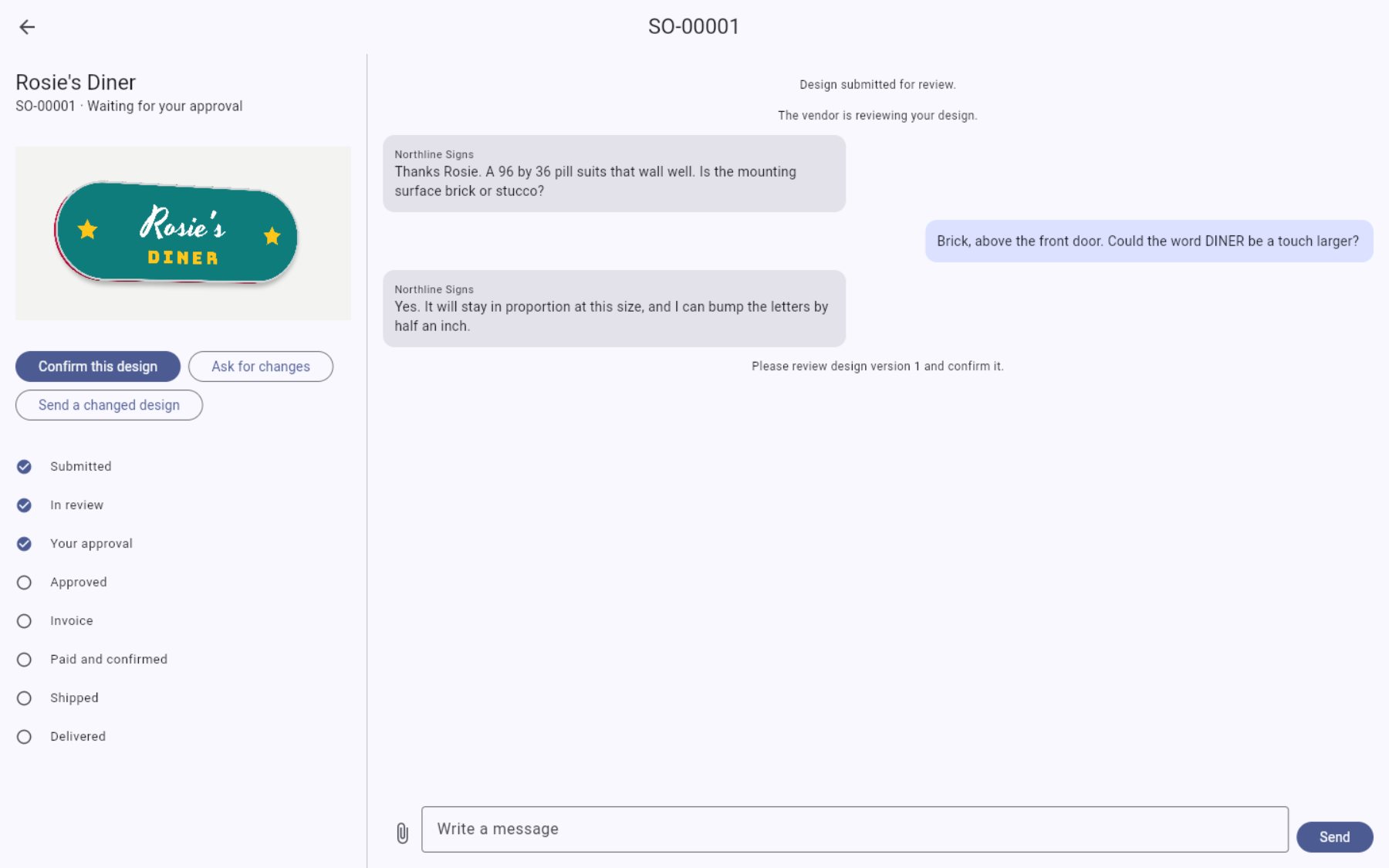
Short answer: keep every proof and every change for an order in one thread, ask for approval with a clear button or a single question, and record the approval with a date. Do not start production until the latest proof is approved in writing.
Proof approval sounds simple. In practice, a proof goes out by email, the reply comes by text, a change comes by phone, and three weeks later nobody is sure which version was approved.
Why approval goes wrong
- Too many channels. Email, texts, phone calls and social media messages.
- Too many versions. "Proof v3 final FINAL.pdf".
- Vague replies. "Looks good!" to which proof?
- No record. When the sign arrives and the customer says the color is wrong, you cannot show what they agreed to.
A process that works
1. One thread per order
Keep the proofs, the changes and the approval for each order together. If the customer replies somewhere else, copy it into the thread.
2. Send a proof that answers the questions
Show the sign, the size, the colors, the materials and the mounting, ideally in place on their wall. Say what has changed since the last version.
3. Ask one clear question
"Please confirm this design so we can start production." Not "let us know what you think".
4. Record the approval
Keep the date, the version and who approved it. A button they click is better than a reply you have to interpret.
5. Changes after approval are new work
If the customer changes the design after approving it, make a new proof and ask again. Say if it changes the price or the date.
6. Keep the record
Keep the approved proof with the order after it ships. It is your evidence for warranty questions, and the starting point for a repeat order. See sign warranties.
How it works in Sign Designer
Every order has one thread. You reply in the order's chat, attach images or PDFs, and ask for approval when the design is right. The customer gets an email and a dashboard notification, and confirms in the chat or from a link in the email. If they reply by email instead, you mark it approved yourself. See step 3 of how an order moves.